

| # json-stable-stringify | |
| This is the same as https://github.com/substack/json-stable-stringify but it doesn't depend on libraries without licenses (jsonify). | |
| deterministic version of `JSON.stringify()` so you can get a consistent hash | |
| from stringified results | |
| You can also pass in a custom comparison function. | |
| [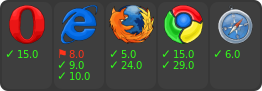](https://ci.testling.com/substack/json-stable-stringify) | |
| [](http://travis-ci.org/substack/json-stable-stringify) | |
| # example | |
| ``` js | |
| var stringify = require('json-stable-stringify'); | |
| var obj = { c: 8, b: [{z:6,y:5,x:4},7], a: 3 }; | |
| console.log(stringify(obj)); | |
| ``` | |
| output: | |
| ``` | |
| {"a":3,"b":[{"x":4,"y":5,"z":6},7],"c":8} | |
| ``` | |
| # methods | |
| ``` js | |
| var stringify = require('json-stable-stringify') | |
| ``` | |
| ## var str = stringify(obj, opts) | |
| Return a deterministic stringified string `str` from the object `obj`. | |
| ## options | |
| ### cmp | |
| If `opts` is given, you can supply an `opts.cmp` to have a custom comparison | |
| function for object keys. Your function `opts.cmp` is called with these | |
| parameters: | |
| ``` js | |
| opts.cmp({ key: akey, value: avalue }, { key: bkey, value: bvalue }) | |
| ``` | |
| For example, to sort on the object key names in reverse order you could write: | |
| ``` js | |
| var stringify = require('json-stable-stringify'); | |
| var obj = { c: 8, b: [{z:6,y:5,x:4},7], a: 3 }; | |
| var s = stringify(obj, function (a, b) { | |
| return a.key < b.key ? 1 : -1; | |
| }); | |
| console.log(s); | |
| ``` | |
| which results in the output string: | |
| ``` | |
| {"c":8,"b":[{"z":6,"y":5,"x":4},7],"a":3} | |
| ``` | |
| Or if you wanted to sort on the object values in reverse order, you could write: | |
| ``` | |
| var stringify = require('json-stable-stringify'); | |
| var obj = { d: 6, c: 5, b: [{z:3,y:2,x:1},9], a: 10 }; | |
| var s = stringify(obj, function (a, b) { | |
| return a.value < b.value ? 1 : -1; | |
| }); | |
| console.log(s); | |
| ``` | |
| which outputs: | |
| ``` | |
| {"d":6,"c":5,"b":[{"z":3,"y":2,"x":1},9],"a":10} | |
| ``` | |
| ### space | |
| If you specify `opts.space`, it will indent the output for pretty-printing. | |
| Valid values are strings (e.g. `{space: \t}`) or a number of spaces | |
| (`{space: 3}`). | |
| For example: | |
| ```js | |
| var obj = { b: 1, a: { foo: 'bar', and: [1, 2, 3] } }; | |
| var s = stringify(obj, { space: ' ' }); | |
| console.log(s); | |
| ``` | |
| which outputs: | |
| ``` | |
| { | |
| "a": { | |
| "and": [ | |
| 1, | |
| 2, | |
| 3 | |
| ], | |
| "foo": "bar" | |
| }, | |
| "b": 1 | |
| } | |
| ``` | |
| ### replacer | |
| The replacer parameter is a function `opts.replacer(key, value)` that behaves | |
| the same as the replacer | |
| [from the core JSON object](https://developer.mozilla.org/en-US/docs/Web/JavaScript/Guide/Using_native_JSON#The_replacer_parameter). | |
| # install | |
| With [npm](https://npmjs.org) do: | |
| ``` | |
| npm install json-stable-stringify | |
| ``` | |
| # license | |
| MIT |